What Is DeepSeek OCR?
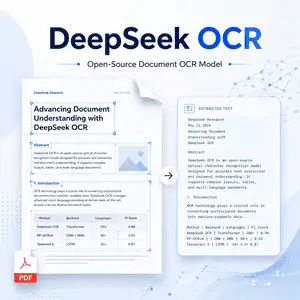
DeepSeek OCR is an open-source OCR model from DeepSeek AI.
It is designed to read document images, screenshots, PDFs, tables, figures, and other visual content, then convert them into clean text or structured Markdown.
Unlike traditional OCR systems, DeepSeek OCR focuses on visual-text compression. It turns document pages into compact visual tokens, helping reduce the cost of processing long documents.
Model Overview
| Item | Details |
|---|---|
| Model name | DeepSeek-OCR |
| Developer | DeepSeek AI |
| Model type | Vision-language OCR model |
| Main task | Image-to-text, document OCR, document-to-Markdown |
| License | MIT |
| Model size | 3B parameters |
| Tensor type | BF16 |
| Input type | Images, document pages, screenshots, PDFs |
| Output type | Text, Markdown, structured document content |
| Deployment | Transformers, vLLM, SGLang |
| Best use cases | OCR, document parsing, training data generation, layout-aware text extraction |
| Price | Free and open-source; self-hosting cost depends on your hardware |
Features
Document-to-Markdown Conversion
DeepSeek OCR can convert document images into Markdown.
This makes it useful for parsing PDFs, reports, scanned pages, and structured documents where layout still matters.
Efficient Visual Token Compression
The model is built around context optical compression.
Instead of representing everything as long text tokens, it compresses visual document information into fewer vision tokens.
Multiple Resolution Modes
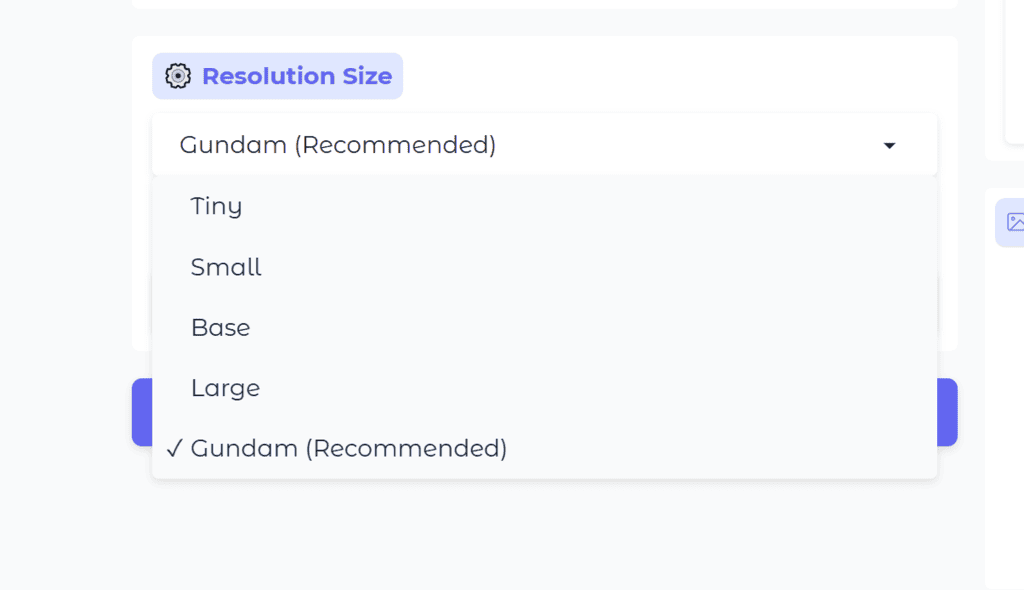
DeepSeek OCR supports several native resolution modes, including Tiny, Small, Base, and Large.
It also supports a dynamic resolution mode for more complex document pages.
Vision-Language Understanding
DeepSeek OCR is not limited to plain character recognition.
It can also parse figures, describe images, and locate specific text inside an image through prompt-based interaction.
Open-Source Deployment
The model weights and code are publicly available.
Developers can run it with Transformers, vLLM, or SGLang depending on their hardware and performance needs.
Useful for Large-Scale Data Generation
DeepSeek OCR is especially interesting for teams that need to convert many document pages into text for LLM or VLM training data.
Its compression-first design makes it more efficient than many heavier document parsing pipelines.
How to use
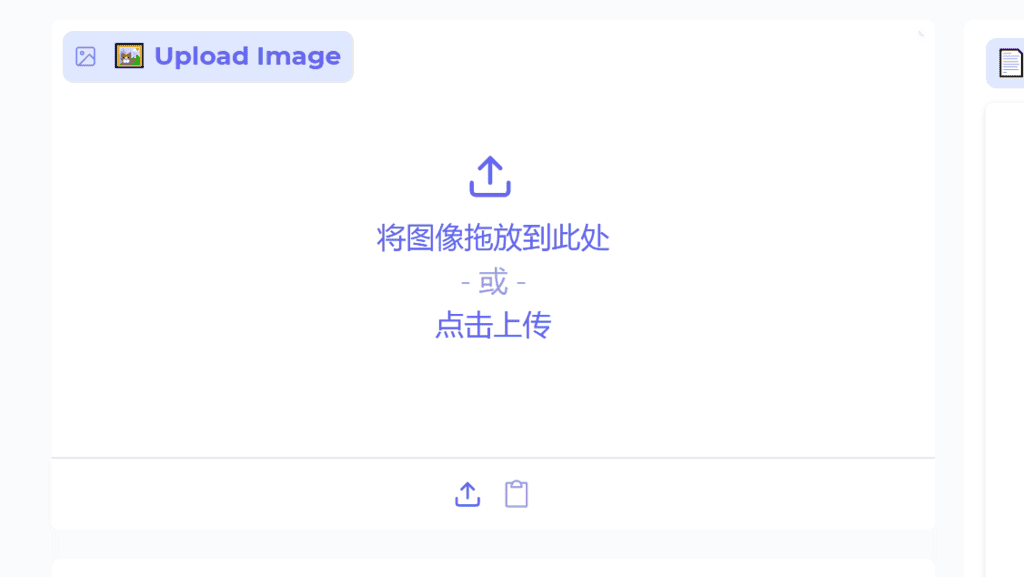
Step 1: Upload Image
Step 2: Select a Resolution
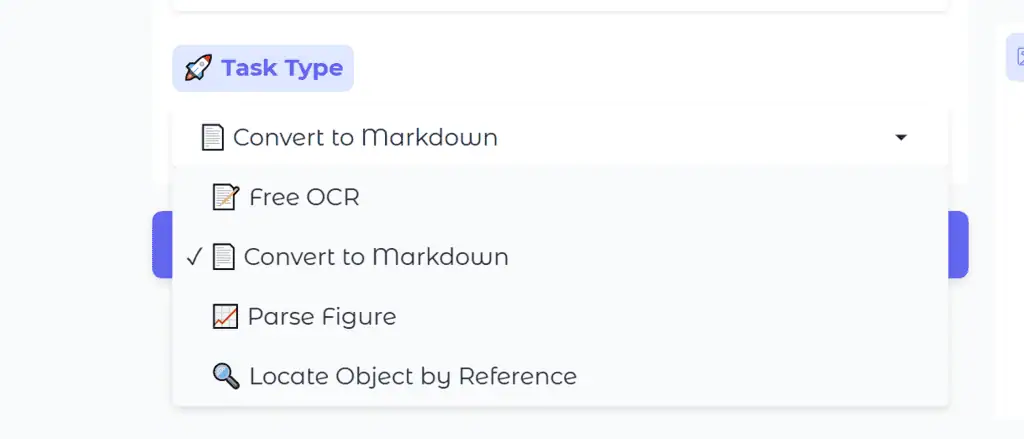
Step 3: Choose a Task Type
- Free OCR: Extracts raw text from the image.
- Convert to Markdown: Converts the document into Markdown, preserving structure.
- Parse Figure: Extracts structured data from charts and figures.
- Locate Object by Reference: Finds a specific object/text.
Step 4: Get Result
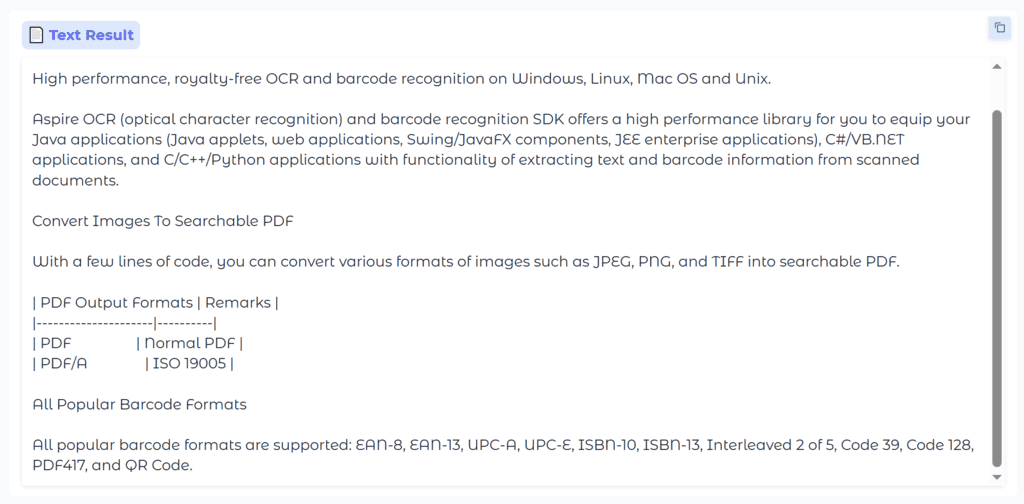
Examples
If you need more examples, you can find a list of them at the bottom of the Demo page; clicking on an example will quickly populate the form.
FAQ
Is DeepSeek OCR free?
Yes. DeepSeek OCR is open-source and released under the MIT license.
You can use it locally, but you still need to pay for your own GPU or server if you deploy it at scale.
Is DeepSeek OCR only for scanned documents?
No. It can process scanned documents, screenshots, PDF pages, tables, figures, and general images.
For document workflows, its most useful output is often structured Markdown.
Can DeepSeek OCR handle PDFs?
Yes, but the model works on visual input.
In practice, PDF pages are usually rendered into images first, then passed to the model for OCR or Markdown conversion.
What makes DeepSeek OCR different from traditional OCR?
Traditional OCR mainly focuses on recognizing characters.
DeepSeek OCR uses a vision-language model and visual token compression, so it can understand layout and generate structured output more flexibly.
Does DeepSeek OCR support local deployment?
Yes. It can be used with Hugging Face Transformers, vLLM, and SGLang.
For serious use, an NVIDIA GPU is recommended.
Is DeepSeek OCR better than every OCR tool?
Not always.
It is strong for document understanding and compressed visual-text processing, but independent research suggests it may rely on language priors and can be less robust in some stress tests.
What is DeepSeek OCR best for?
It is best for developers and researchers who need open-source document OCR, document-to-Markdown conversion, layout-aware parsing, or large-scale document data generation.
What is the difference between DeepSeek OCR and DeepSeek OCR 2?
DeepSeek OCR is the original context optical compression model.
DeepSeek OCR 2 is a newer follow-up model that explores visual causal flow and more human-like visual token ordering.