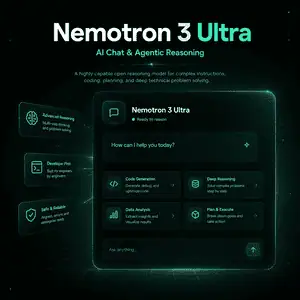
What Is Nemotron 3 Ultra?
Nemotron 3 Ultra is NVIDIA’s largest Nemotron 3 reasoning model, built for complex agentic workflows, long-context analysis, coding, tool use, and high-accuracy reasoning. It is not a lightweight chatbot model; it is aimed at teams building demanding AI agents and enterprise AI systems.
This guide explains what Nemotron 3 Ultra does, how it works, where to access it, and when it is a better choice than smaller models. The facts here are based on NVIDIA Research, NVIDIA Developer, NVIDIA Build, and the official Hugging Face model card. You will also see practical limitations, hardware requirements, and decision points before using it in production.
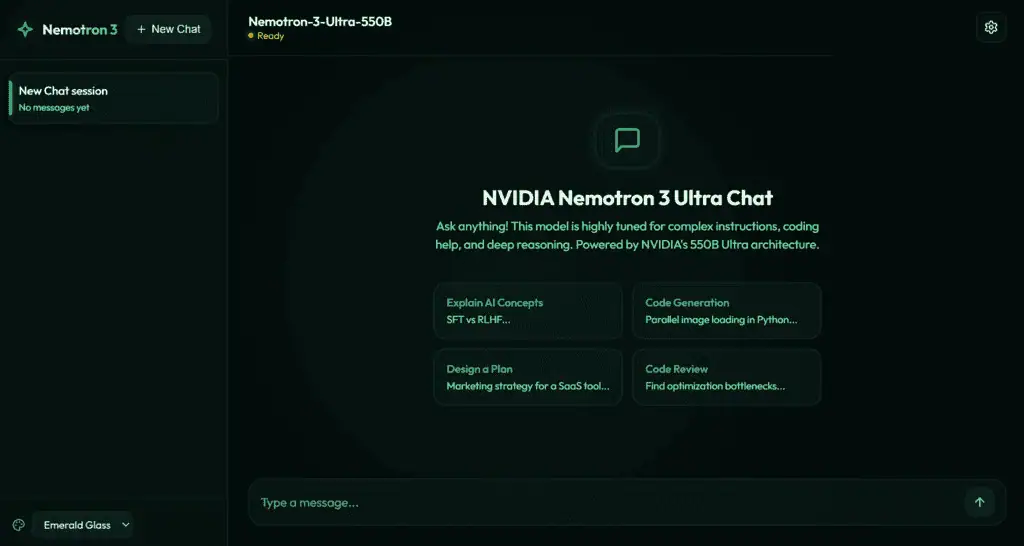
Nemotron 3 Ultra Specs at a Glance
Nemotron 3 Ultra is a 550B-parameter Mixture-of-Experts model with 55B active parameters per token. Its main value is high reasoning capability with better inference efficiency than a dense model of similar total size.
| Item | Nemotron 3 Ultra |
|---|---|
| Developer | NVIDIA |
| Model size | 550B total parameters, 55B active |
| Architecture | Hybrid LatentMoE with Mamba-2, MoE, Attention, and MTP layers |
| Context length | Up to 1M tokens |
| Main use cases | Agent orchestration, coding agents, deep research, long-context RAG, tool use |
| Access | Hugging Face, NVIDIA Build/NIM, provider endpoints |
| License | OpenMDW-1.1 according to the Hugging Face model card |
| Release date | June 4, 2026 on Hugging Face |
What Nemotron 3 Ultra Is Best For
Nemotron 3 Ultra is best for tasks where the model must plan, reason, use tools, and keep track of many steps. It fits workflows where a cheaper or smaller model may lose context, make brittle decisions, or fail to recover from tool errors.
Good use cases include coding agents, enterprise research agents, long-document analysis, complex RAG, multi-agent orchestration, and workflows that need reasoning budget control.
Best-fit scenarios
Use Nemotron 3 Ultra when the model acts as the “planner” or “orchestrator” in an agent system. For example, it can decide which tools to call, review outputs from sub-agents, synthesize many sources, and correct a plan after a failed step.
It also makes sense for high-stakes analysis over long inputs, such as reviewing large codebases, technical documents, legal-style materials, or many retrieved documents in one workflow.
What Nemotron 3 Ultra Is Not For
Nemotron 3 Ultra is not the best choice for simple chat, short customer support replies, or low-cost high-volume tasks. A smaller model will often be faster, cheaper, and easier to deploy for routine prompts.
It is also not a practical local model for most individual users. The official Hugging Face card lists large multi-GPU requirements, so hobbyist laptops and single consumer GPUs are not realistic targets for the full BF16 checkpoint.
Do not choose it when
Do not choose Nemotron 3 Ultra just because it is the largest model in the family. Use it when the task actually needs long-context reasoning, multi-step planning, or strong agent orchestration.
For simpler workflows, start with Nemotron 3 Nano or Nemotron 3 Super, then move to Ultra only for the calls where accuracy and planning matter more than cost.
How Nemotron 3 Ultra Works
Nemotron 3 Ultra uses a hybrid architecture designed to balance reasoning quality and inference efficiency. Its Mixture-of-Experts design activates only part of the model for each token, while Mamba and Attention layers help with long-context and precise recall.
NVIDIA also describes MTP layers, NVFP4 pretraining, post-training with supervised fine-tuning and reinforcement learning, and reasoning budget control as part of the model design.
Why the architecture matters
The architecture matters because long-running agents can generate very large token histories. Every tool call, observation, plan, correction, and sub-agent response adds cost and latency.
Nemotron 3 Ultra is designed for this pattern: fewer wasted tokens, stronger long-context behavior, and better throughput for difficult reasoning workloads.
How to Access Nemotron 3 Ultra
The easiest way to try Nemotron 3 Ultra is through a hosted endpoint or NVIDIA Build. The full model weights are also available through Hugging Face for teams with enough infrastructure.
For most users, the practical path is:
- Test the model through NVIDIA Build or a supported endpoint.
- Validate it on your own agent tasks.
- Compare cost and accuracy against smaller models.
- Deploy the full or quantized checkpoint only if you have the required GPU infrastructure.
Local deployment options
The Hugging Face model card includes examples for Transformers, vLLM, SGLang, and Docker-style workflows. These are useful for engineering teams, but the full model is not a casual local download.
Before attempting self-hosting, confirm GPU memory, context length needs, serving framework support, and whether the BF16 or NVFP4 version fits your deployment plan.
Nemotron 3 Ultra vs Nano vs Super
Nemotron 3 Ultra is the highest-capability model in the Nemotron 3 reasoning family. Nano is better for cost-efficient sub-agents, while Super is a middle path for stronger reasoning and tool calling without Ultra-level infrastructure.
| Model tier | Best for | When to choose it |
|---|---|---|
| Nemotron 3 Nano | Efficient sub-agents and routine agent tasks | You need lower cost and faster deployment |
| Nemotron 3 Super | Multi-agent systems and tool-calling workloads | You need stronger reasoning but not the largest model |
| Nemotron 3 Ultra | Mission-critical planning, coding, deep research, long-context analysis | You need maximum reasoning capability and can afford the infrastructure |
A strong production design may use all three tiers. Use Nano or Super for frequent execution steps and Ultra for the hardest planning, verification, and recovery calls.
Common Mistakes When Using Nemotron 3 Ultra
The most common mistake is using Nemotron 3 Ultra for every request. That can increase cost without improving the user experience.
Another mistake is testing it only on single-turn prompts. Nemotron 3 Ultra is designed for long-running agentic workflows, so evaluation should include tool calls, multi-turn context, recovery from errors, and long-document tasks.
Mistake: ignoring context cost
A 1M-token context window does not mean every request should use 1M tokens. Long context still affects cost, latency, and reliability.
Use retrieval, summarization, and context routing so the model sees the right information rather than all available information.
Mistake: assuming “open” means easy to run
Nemotron 3 Ultra is open in the sense that NVIDIA provides model access, weights, and related resources, but the full model still requires serious GPU infrastructure. For many teams, hosted inference is the more realistic first step.
Practical Workflow: How to Evaluate Nemotron 3 Ultra
Evaluate Nemotron 3 Ultra with real tasks, not generic prompts. The best test is a small benchmark set based on your actual agent workflow.
Start with 20 to 50 examples that include hard planning, tool use, long context, and failure recovery. Compare Ultra against a smaller model on task success, total tokens, latency, and cost per completed task.
Evaluation checklist
Track whether the model completes the task, uses tools correctly, follows constraints, cites or grounds claims when needed, and avoids drifting from the user goal. For coding agents, also track test pass rate and number of repair loops.
The goal is not to prove that Ultra is “smart.” The goal is to decide where Ultra creates enough value to justify its cost.
Limitations to Know Before Production
Nemotron 3 Ultra can still make mistakes, misunderstand tools, over-reason, or produce unsupported claims. You should treat it as a powerful reasoning component, not as a complete autonomous system.
For production, add retrieval quality checks, tool permissions, logging, human review for sensitive outputs, and fallback models for lower-priority requests.
Should You Use Nemotron 3 Ultra?
Use Nemotron 3 Ultra if your workflow depends on difficult reasoning, long context, planning, coding, or multi-agent orchestration. Do not use it as the default model for simple chat or high-volume short tasks.
A practical next step is to test it through an official or hosted endpoint, compare it against Nano or Super on your own workload, and reserve Ultra for the parts of the system where better reasoning changes the outcome.