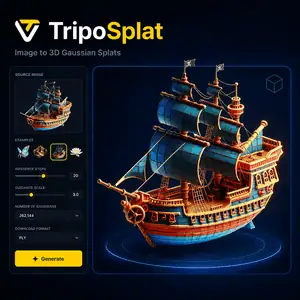
TripoSplat is an open-source AI model that converts a single 2D image into a 3D Gaussian splat. This guide explains what TripoSplat does, how to try it, where it fits in a 3D workflow, and what limits to expect before using it for assets, AR/VR, games, or visualization.
The information here is based on the official Tripo3D research page, the VAST-AI GitHub repository, the Hugging Face model card, the live Hugging Face demo, and the arXiv paper. Instead of repeating the model announcement, this page focuses on practical decisions: who should use TripoSplat, which output format to choose, how Gaussian count affects results, and when another image-to-3D tool may be a better fit.
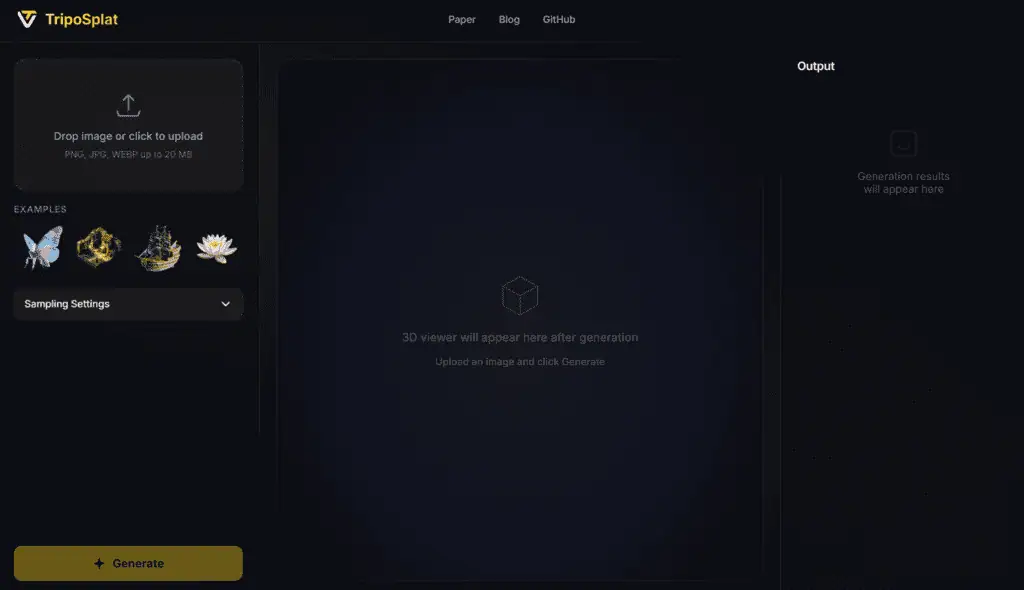
What Is TripoSplat?
TripoSplat is a generative 3D Gaussian model developed by TripoAI / VAST AI Research. It takes one input image and generates a 3D Gaussian splat that can be viewed or exported for downstream 3D workflows.
Unlike traditional photogrammetry, TripoSplat does not require many photos from different angles. It predicts a 3D representation from a single image, which makes it useful for fast asset previews, stylized objects, concept workflows, and experiments with Gaussian-splat rendering.
How TripoSplat Works in Simple Terms
TripoSplat uses a learned density-control method to decide where more or fewer Gaussian primitives should be placed. Detailed or complex areas can receive more Gaussians, while simpler areas can use fewer.
The paper calls this representation Density-Sampled Gaussians, or DeG. The key idea is practical: users can choose different Gaussian counts to balance visual quality against rendering cost.
What You Can Create With TripoSplat
TripoSplat is best for turning a clean object image into a 3D Gaussian splat for preview, visualization, or further pipeline testing. The official materials position it for asset creation, AR/VR, game development, simulation environments, and related 3D workflows.
Good use cases include:
- Stylized object previews
- Product-style 3D visualization
- Game asset ideation
- AR/VR prototype assets
- Gaussian-splat workflow testing
- ComfyUI image-to-3D experiments
It is less suitable when you need production-ready mesh topology, rigging, precise CAD geometry, or guaranteed physical scale.
How to Run TripoSplat Locally
Developers can use the official GitHub repository to run TripoSplat locally. The repo provides inference code, a Gradio demo script, and instructions for downloading model weights from Hugging Face or ModelScope.
The official quickstart installs only a small dependency set around PyTorch, NumPy, Safetensors, Pillow, and tqdm. This makes the codebase easier to inspect than large multi-framework 3D generation stacks.
How to Try TripoSplat Online
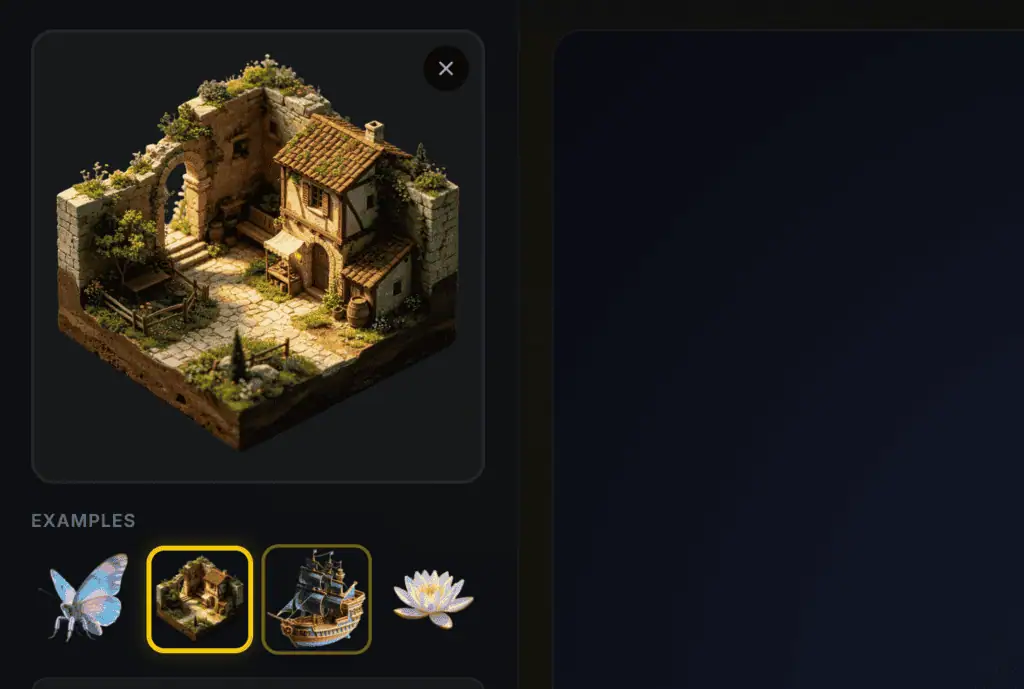
Step 1: upload image
Step 2: Set Settings
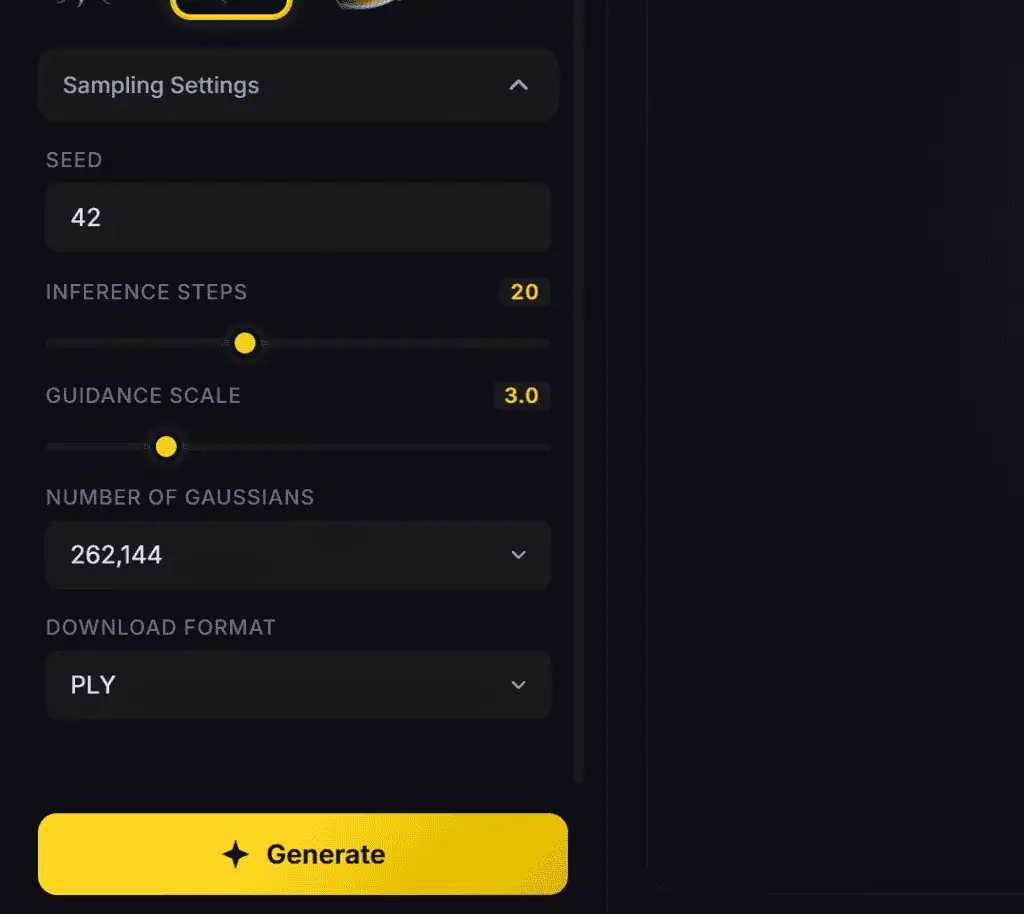
Step 3: Get Result
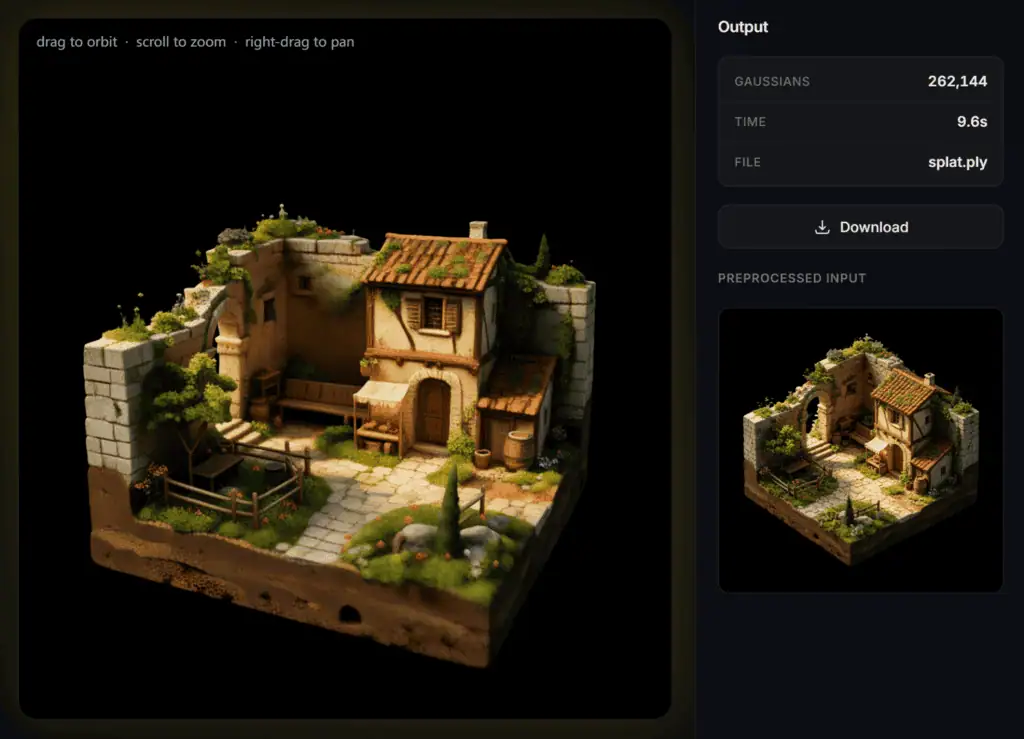
TripoSplat Output Formats Explained
TripoSplat exports Gaussian splat files rather than standard game-ready mesh assets. The official demo and GitHub instructions reference .ply and .splat outputs.
| Format | Best for | Notes |
|---|---|---|
| PLY | 3D Gaussian viewers and research workflows | Common format for point and splat data |
| SPLAT | Web and Gaussian-splat viewers | Useful for interactive viewing |
| Mesh | Not the native output | Requires conversion or a separate workflow |
Choose PLY or SPLAT if you want to inspect the generated 3D Gaussian result. Choose a mesh-based tool instead if your final target requires UVs, rigging, retopology, or standard 3D game-engine asset pipelines.
Gaussian Count: Which Setting Should You Use?
Higher Gaussian counts can preserve more visual detail, but they also increase rendering and file cost. Lower counts are better for quick previews, while higher counts are better when visual fidelity matters.
A simple starting point:
| Gaussian count | Use it for |
|---|---|
| 32,768 | Fast preview and rough tests |
| 65,536 | Balanced experiments |
| 131,072 | Better detail for review |
| 262,144 | Highest listed quality option, with higher rendering cost |
Start low when testing prompts or input images. Increase the count only after the image, object framing, and result direction look useful.
Who Should Use TripoSplat?
TripoSplat is a good fit for users who want fast image-to-3D Gaussian results without building a full photogrammetry setup. It is especially useful for AI creators, 3D generalists, ComfyUI users, researchers, and developers exploring Gaussian splat pipelines.
It is also useful for teams that want multiple quality levels of the same asset. Variable Gaussian counts can work like a level-of-detail approach, where lighter versions are used for performance-sensitive contexts and heavier versions are used for close viewing.
Who Should Not Use TripoSplat?
TripoSplat is not the best first choice if your final deliverable must be a clean polygon mesh. Gaussian splats are strong for viewable 3D appearance, but they do not replace retopologized meshes, UV maps, skeletal rigs, or physically accurate CAD models.
Avoid relying on it alone for:
- Final game-ready meshes
- Engineering or measurement tasks
- Characters that need rigging
- Assets requiring clean UV texture maps
- Exact reconstruction from hidden object sides
Common Mistakes When Using TripoSplat
The most common mistake is treating a single-image model as a perfect 3D scanner. TripoSplat must infer unseen sides from one view, so hidden surfaces may be guessed.
Another mistake is always choosing the highest Gaussian count. Use high counts only when the result is already worth keeping, because more Gaussians can increase rendering cost without fixing a bad input image.
A third mistake is uploading cluttered images. Clean object framing, visible shape, and simple backgrounds usually give the model more useful information.
TripoSplat vs Traditional Image-to-3D Tools
TripoSplat is different from mesh-first image-to-3D tools because it generates Gaussian splats as the primary representation. This can be better for visual richness and fast rendering tests, but less convenient for standard asset editing.
| Option | Best for | Main limitation |
|---|---|---|
| TripoSplat | Image to 3D Gaussian splats | Not a native clean mesh workflow |
| Mesh-based image-to-3D tools | Game assets and editable geometry | May lose fine view-dependent appearance |
| Photogrammetry | Real-world object capture | Needs many images and controlled capture |
| Manual 3D modeling | Production-ready control | Slower and skill-dependent |
Use TripoSplat when you want a fast 3D Gaussian result from one image. Use mesh-based or manual workflows when editability matters more than speed.
How to Use TripoSplat in a Practical Workflow
Start with a clean object image, ideally with the main subject centered and clearly visible. Generate a low-count preview first, inspect the 3D result, then increase Gaussian count for the version you want to save.
A practical workflow looks like this:
- Prepare a clean PNG, JPG, or WEBP image.
- Try the online demo for a quick result.
- Download PLY or SPLAT.
- View the file in a Gaussian-splat viewer.
- Move to GitHub, ComfyUI, or an API workflow only after the result quality is useful.
- Use a mesh-conversion or mesh-first tool if your project needs editable geometry.
TripoSplat Limitations to Know Before You Use It
TripoSplat is impressive for single-image Gaussian generation, but it cannot recover information that is not visible in the input image with full certainty. Back sides, occluded areas, thin parts, reflective surfaces, and transparent materials may need extra review.
The official Hugging Face model page also shows that the model is not deployed by Hugging Face Inference Providers at the time checked, so users may need the Space, GitHub setup, ComfyUI workflow, or third-party API providers depending on their needs.
Best Next Step
Try TripoSplat with one clean object image before building a full workflow around it. Use the online demo for evaluation, then move to the GitHub repo or ComfyUI if you need local control, repeatable settings, or pipeline integration.